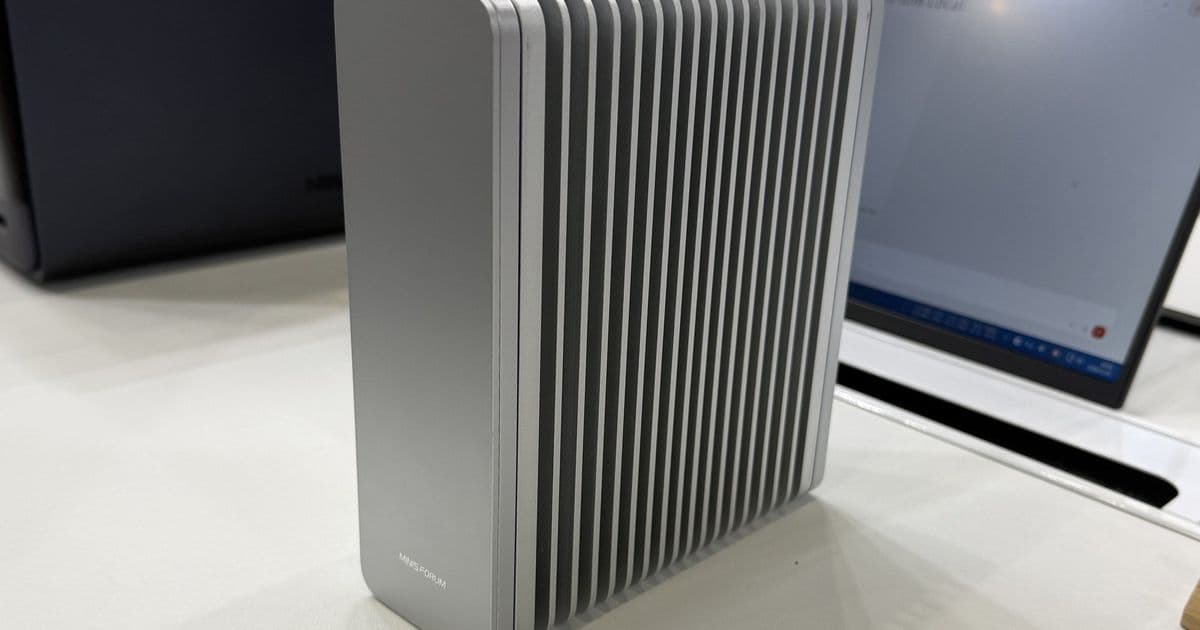
Minisforum's S5 crams five PCIe Gen4 M.2 slots, 10GbE, and 40Gbps USB4 into a fanless aluminum box built on Intel's Core Series 3 platform. It is the mid-range all-flash NAS a lot of homelab builders have been waiting for, assuming NAND prices cooperate.
Minisforum brought a NAS to Computex 2026 that lines up almost perfectly with how I actually build storage these days: all flash, no spinning rust, no fans, and just enough network bandwidth to make the SSDs worth the money. The S5 is built on Intel's Core Series 3 (Wildcat Lake) platform, and after years of Alder Lake-N boxes choking on a single 2.5GbE link, this one finally balances the storage against the network.
What's Inside
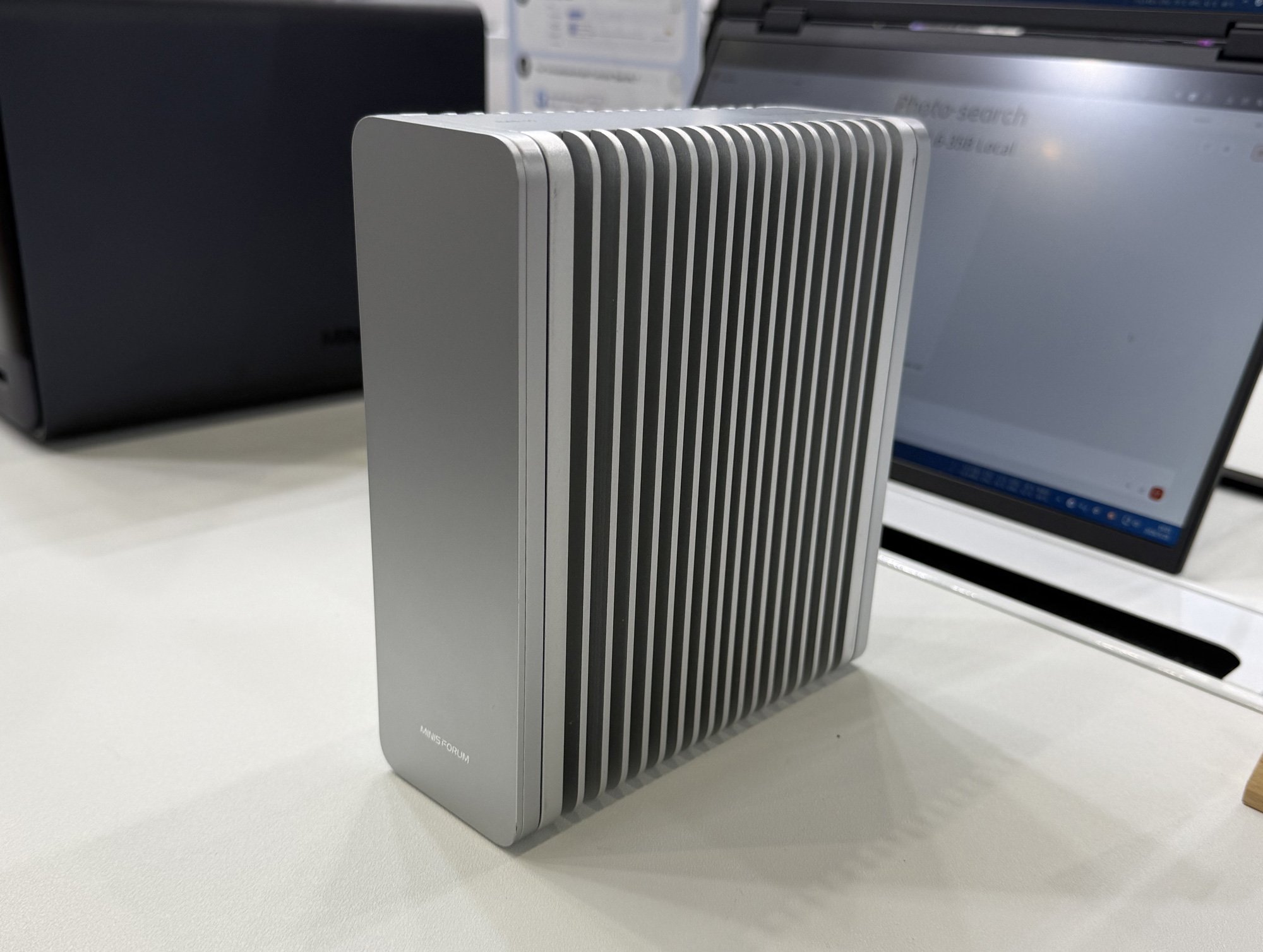
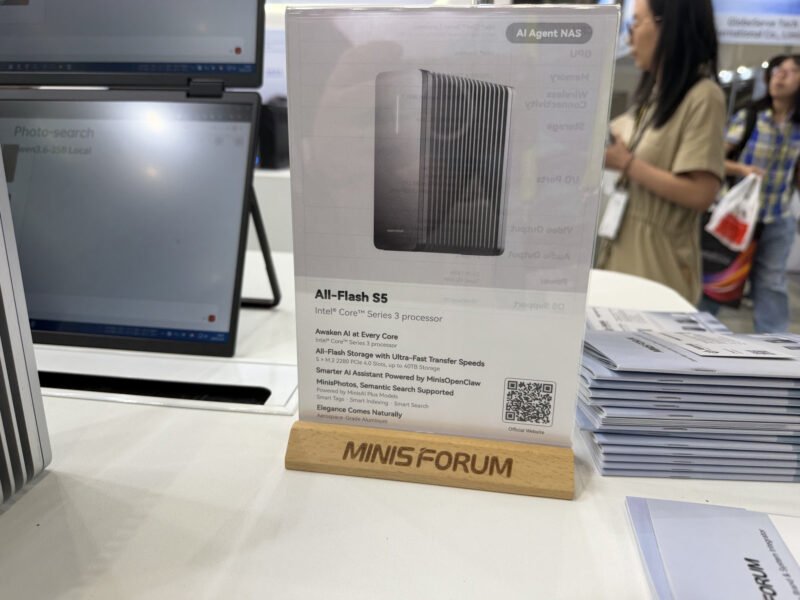
The S5 is an all-flash NAS, full stop. There are no 3.5-inch bays, no SATA backplane, just five M.2 2280 slots and a low-power laptop SoC doing the work. Minisforum has not locked in a specific Series 3 SKU yet, so every CPU and GPU number is an "up to" for now, but the floor is informative on its own: no Series 3 part ships with fewer than 6 cores in a 1P + 5E layout. That is a meaningful step up from the quad-E-core Alder Lake-N chips that have been carrying budget NAS builds since 2022.
Memory is 12GB of soldered LPDDR5X-7500. Not expandable, which will annoy some people, but for a NAS serving SMB and a couple of containers it is plenty, and the 7500 MT/s data rate matters because the iGPU and NPU share that bandwidth. The OS lives on a separate 64GB UFS 2.2 chip, so all five M.2 slots stay free for your storage pool. That is the right call. Nothing is more irritating than burning a drive bay on the boot volume.
The PCIe Math Is the Whole Story
Here is where Wildcat Lake gets interesting and where Minisforum had to get clever. The platform exposes only 6 PCIe Gen4 lanes. Five of them go to the M.2 slots at Gen4 x1 each, and the sixth drives a 10GbE controller. That is the entire lane budget, spent down to zero.
Gen4 x1 gives each drive roughly 2GB/s of bandwidth. On paper that sounds limiting next to a Gen4 x4 slot pushing 7GB/s, but think about what the network can actually move:
| Link | Theoretical throughput | Per-drive Gen4 x1 |
|---|---|---|
| 2.5GbE | ~312 MB/s | x1 lane is ~6x faster |
| 10GbE | ~1.25 GB/s | x1 lane still ahead |
| 40Gbps USB4 | ~5 GB/s | needs striping |
A single Gen4 x1 lane already outruns 10GbE on its own. Spread a pool across five of them and the bottleneck is decisively the network, not the storage. That is exactly the design intent: capacity and lane count over per-drive peak speed. For a file server, sequential drive speed past line rate is wasted silicon.
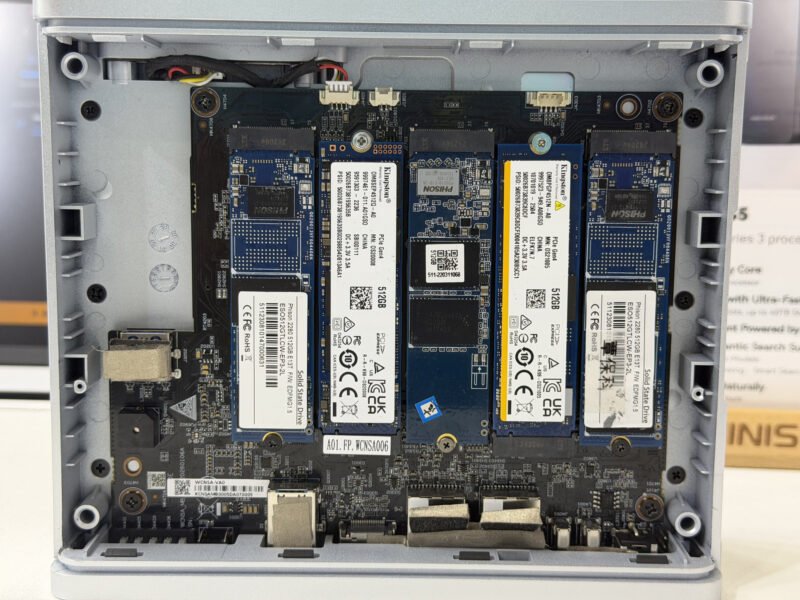
The 10GbE controller is a Realtek RTL8127. Realtek's 10GbE NICs have a mixed reputation among the homelab crowd compared to Aquantia/Marvell parts, but driver support on Linux has improved, and at this price point a working 10GbE port beats a theoretical one. Combined with the native 40Gbps USB4 from Intel's integrated Thunderbolt controller, you also get USB networking as an option for direct-attach point-to-point links.
I/O and Ports
The rear panel is where the Series 3 platform earns its keep. You get:
- Two 40Gbps USB-C (USB4) ports
- One 2.5GbE port
- One 10GbE port
- HDMI 2.1 for a display
- Two 10Gbps USB-A ports
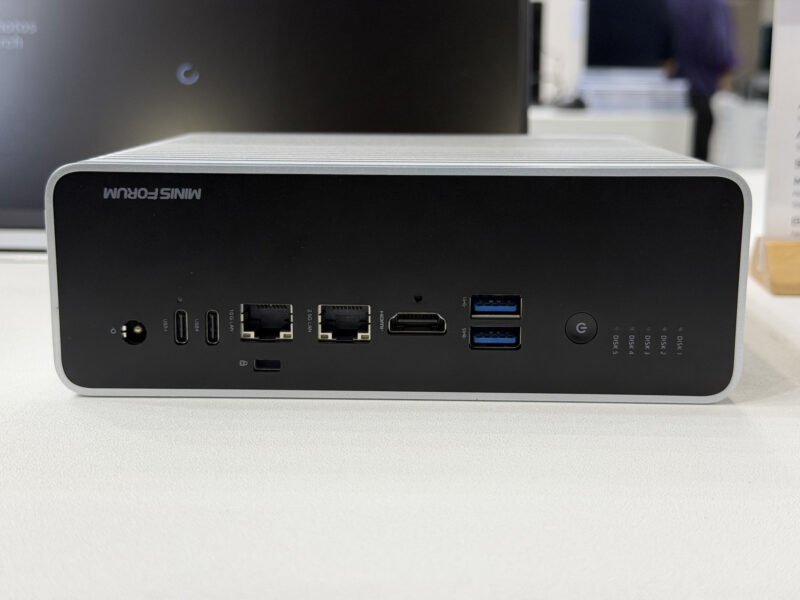
The platform also brings Wi-Fi 7 and AV1 hardware encoding along for the ride. AV1 encode on a NAS is more useful than it first sounds if you are running anything that transcodes media, since you get modern codec support without a discrete GPU eating into your power budget.
Fanless by Design
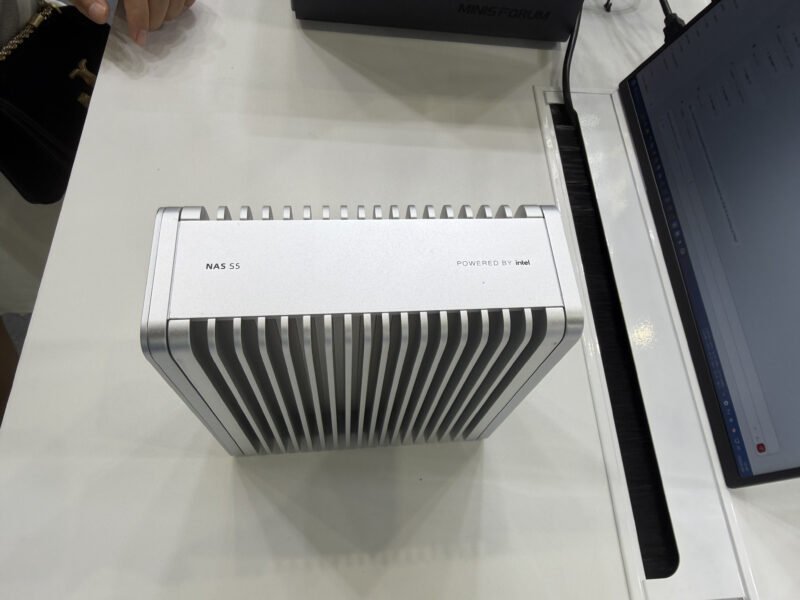
The S5 is passively cooled. The aluminum chassis has integrated fins that act as the heatsink for the whole system. Between the low-power Series 3 SoC and M.2 SSDs that idle in single-digit watts, there is little enough heat to dump that Minisforum skipped active cooling entirely. The payoff is a silent box you can stash on a shelf, behind a monitor, or in a media cabinet without listening to it.
I will reserve judgment on the thermals until someone runs a sustained write test with five drives hammering at once. Passive M.2 cooling under load is the kind of thing that looks great on a showfloor and throttles in a warm closet. The fins suggest Minisforum thought about it, but a long rebuild on a five-drive array is the real test.
Software and the AI Angle
The S5 runs Minisforum's MiniCloud OS, a stripped-down NAS distribution. The company is also preloading some AI tooling: a custom OpenClaw build they are calling MinisOpenClaw, plus a photo cataloging and tagging app named MinisPhotos. Series 3's NPU and iGPU are modest next to Intel's bigger Core Ultra parts, so this is aimed at lightweight local inference, photo tagging, basic assistant tasks, not running large models. For most homelab users the storage is the point and the AI is a bonus you can ignore or repurpose by installing your own OS.
Build Recommendations
If you are planning around this box, a few thoughts:
- Match drives to the lanes. There is no reason to buy expensive Gen5 or high-end Gen4 x4 drives here. Each slot is Gen4 x1. Pick endurance and capacity over peak speed. Five 4TB drives in something like RAIDZ2 or a mirror gives you a sane usable-capacity-to-redundancy ratio.
- Plan for the network, not the array. With 10GbE as your ceiling, the pool will saturate the link long before the SSDs break a sweat. If your switch is 2.5GbE only, you are leaving most of this NAS's potential on the table.
- Watch NAND pricing. This is the asterisk on the whole product. All-flash only makes sense if the SSDs are affordable, and current NAND prices are elevated. An all-flash NAS lives or dies on dollars per terabyte, and right now that math is tighter than it was a year ago.
The broader pattern matters too. Series 3 is shaping up to be the proper Alder Lake-N successor, and the S5 is a clean demonstration of why: more cores, more PCIe bandwidth, real 10GbE, and 40Gbps USB4, all inside a fanless budget envelope. Even one Gen4 lane per drive outruns a 10GbE link, which means the platform has headroom that the old N-series chips never did. If Minisforum prices this right and NAND comes back down, the S5 is positioned to be the all-flash NAS that finally saturates a small-office network without sounding like a jet or costing like an enterprise box.
Comments
Please log in or register to join the discussion